Optimize Throughput
Throughput Optimization
In this Lab, it is demonstrated that workloads can be parallelized by breaking up a large object into multiple pieces or by having smaller files.
- During your SSH session, run the following command to configure the AWS CLI S3 settings.
aws configure set default.s3.max_concurrent_requests 1
aws configure set default.s3.multipart_threshold 64MB
aws configure set default.s3.multipart_chunksize 16MB

- The transfer manager can optimize the transfer. aws s3api simply makes the specific api call you specified.
cat ~/.aws/config

- Run the following command to create a 5GB file.
dd if=/dev/urandom of=5GB.file bs=1 count=0 seek=5G

- Run the following command to upload a 5 GB file to S3 bucket using 1 thread. Record the time to complete.
time aws s3 cp 5GB.file s3://${bucket}/upload1.test

- Run the following command to upload a 5 GB file to S3 bucket using 2 threads. Record the time to complete.
aws configure set default.s3.max_concurrent_requests 2
time aws s3 cp 5GB.file s3://${bucket}/upload2.test

- Run the following command to upload a 5 GB file to S3 bucket using 10 threads. Record the time to complete.
aws configure set default.s3.max_concurrent_requests 10
time aws s3 cp 5GB.file s3://${bucket}/upload3.test

- Run the following command to upload a 5 GB file to S3 bucket using 20 threads. Record the time to complete.
aws configure set default.s3.max_concurrent_requests 20
time aws s3 cp 5GB.file s3://${bucket}/upload4.test

At some point, the AWS CLI will limit the performance that can be achieved. This can happen if you don’t see any performance increase from 10 to 20 threads. This is a limitation of CLI, increasing the thread count to 100 using other software will further increase performance.
- Access to S3
- Select sid-security-xxx
- Observe uploaded files.
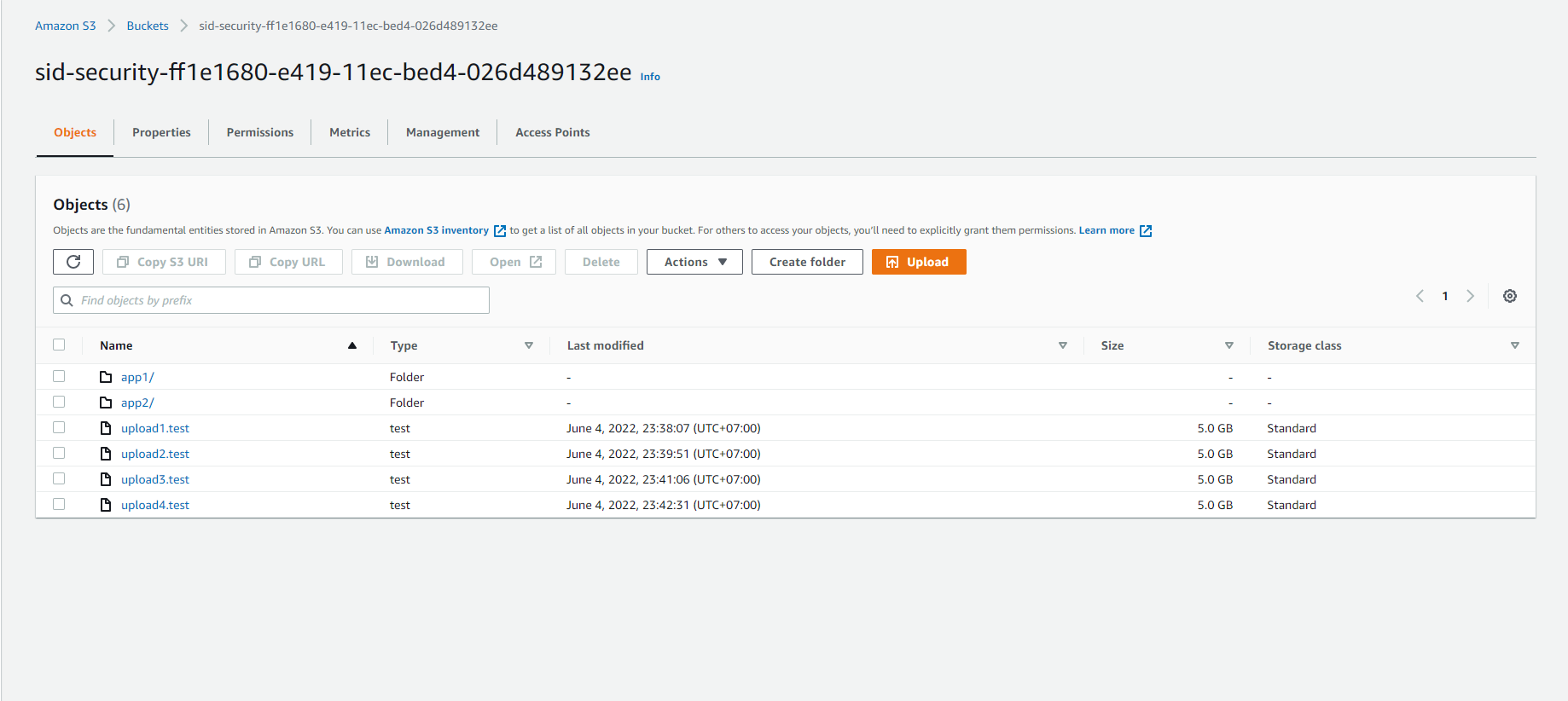
Data can also be segmented into parts. The next step will demonstrate moving 5 GB of data using multiple source files.
- Run the following command to create a 1GB file.
dd if=/dev/urandom of=1GB.file bs=1 count=0 seek=1G

- Run the following command to upload 5GB of data to S3 by uploading five 1GB files in parallel. Record the completion time.
time seq 1 5 | parallel --will-cite -j 5 aws s3 cp 1GB.file s3://${bucket}/parallel/object{}.test

The -j flag is the number of concurrent jobs to run. This results in a total of 100 threads (20 from aws config multiplied by 5 jobs).
- Continue accessing S3
- Select sid-security-xxx
- Select parallel/
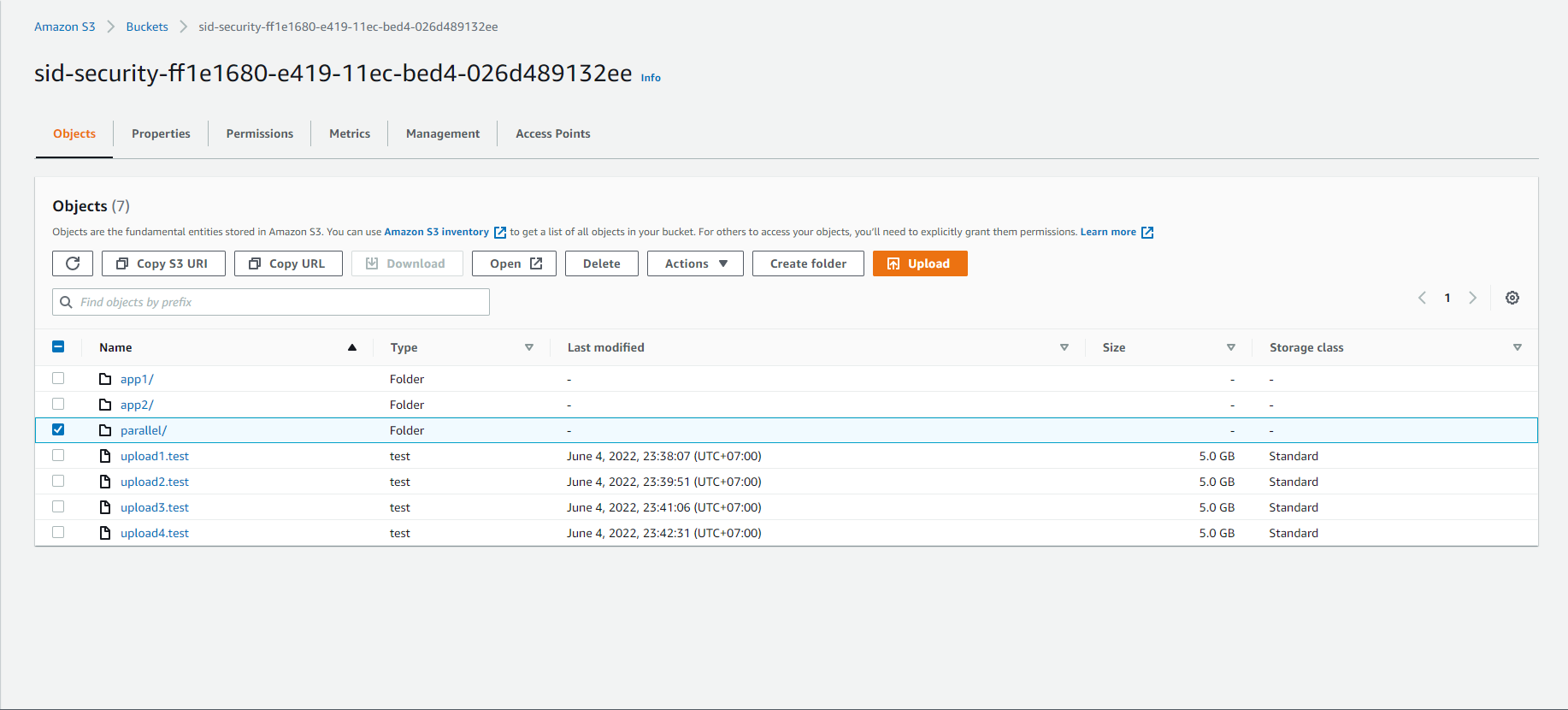
- We will see the 5G file has been split into 5 1G files
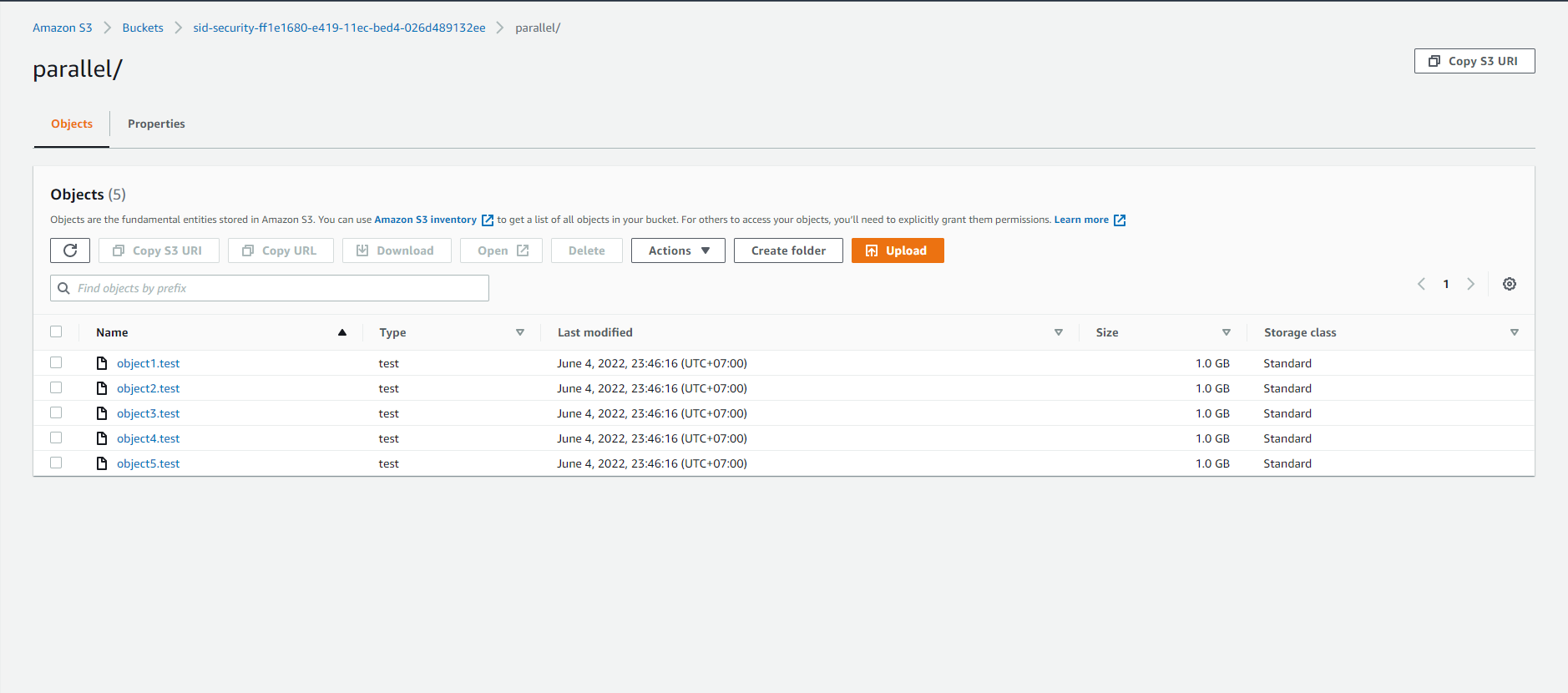
This Lab shows that workloads can be parallelized by breaking up a large object into multiple pieces or by having smaller files. One tradeoff to note is that each PUT is billed at $0.005 per 1,000 requests. When you split a 5GB file into 16MB chunks, that results in 313 PUTs instead of 1 PUT. You can think of it as paying to go faster.