Configuring security groups
Configure security group
We configure the security group to prepare for the next step of connecting to EC2
-
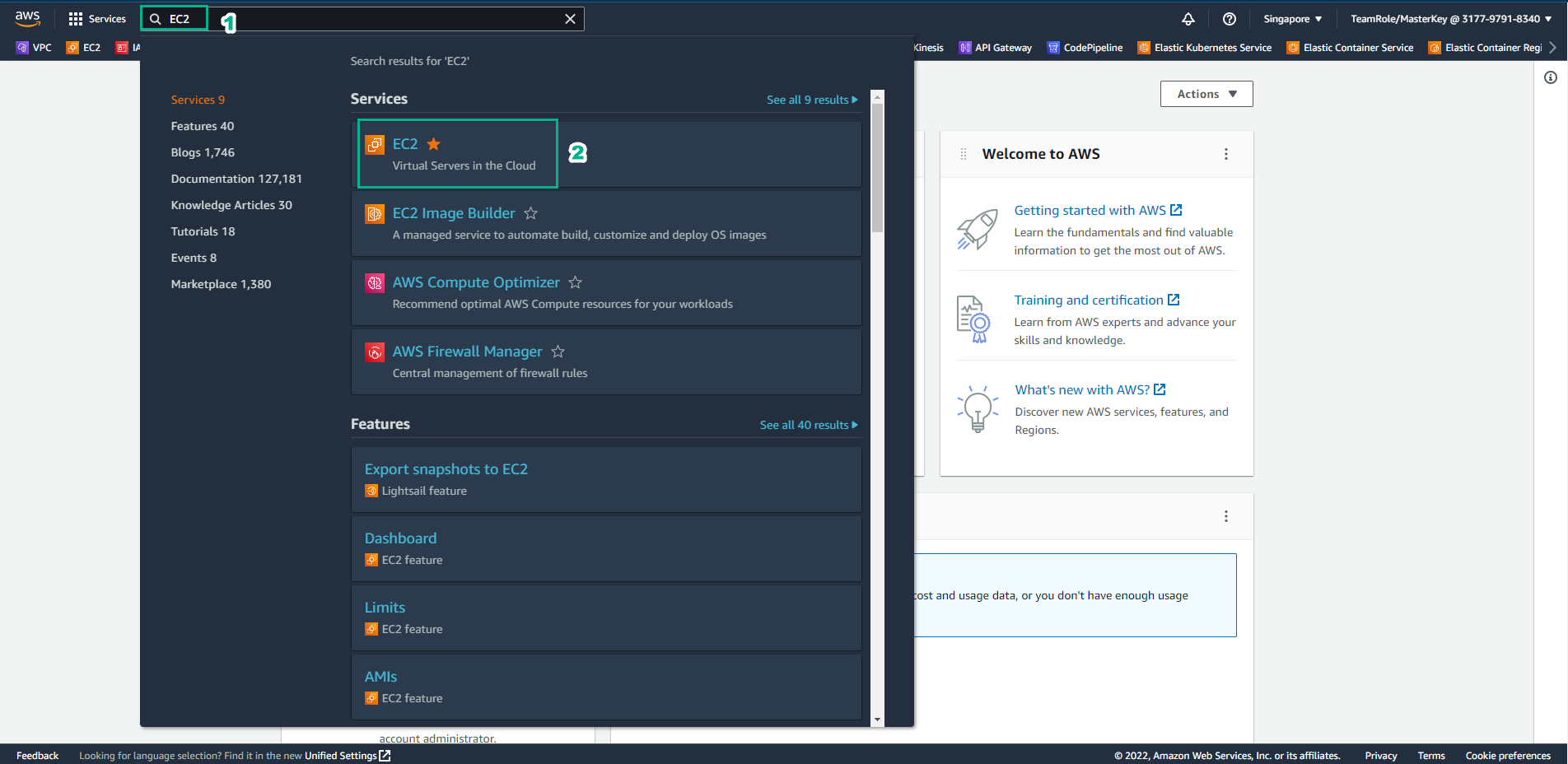
Access AWS Management Console
- Find EC2
- Select EC2
-
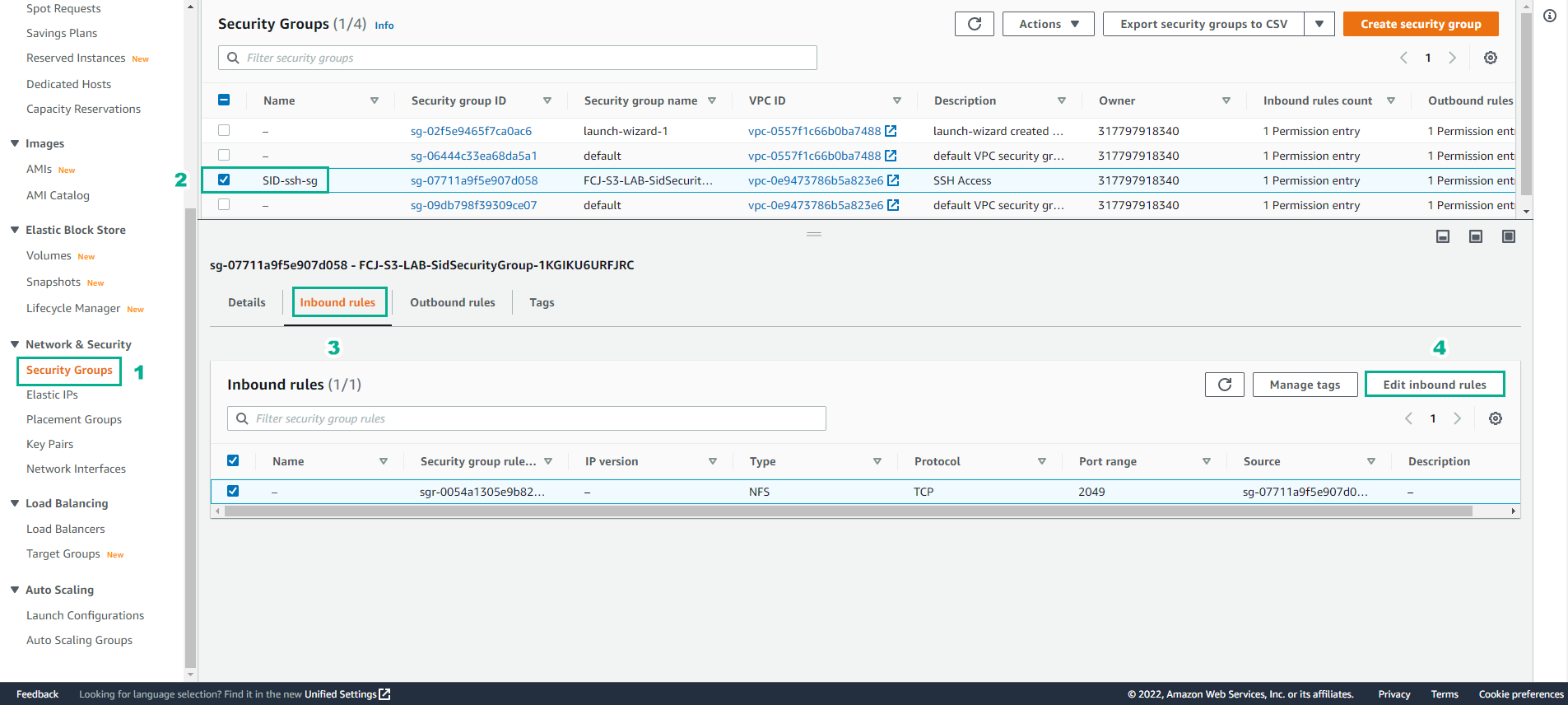
In the EC2 interface
- Select Security Group
- Select SID-ssh-sg
- Select Inbound rules
- Select Edit indound rules
-
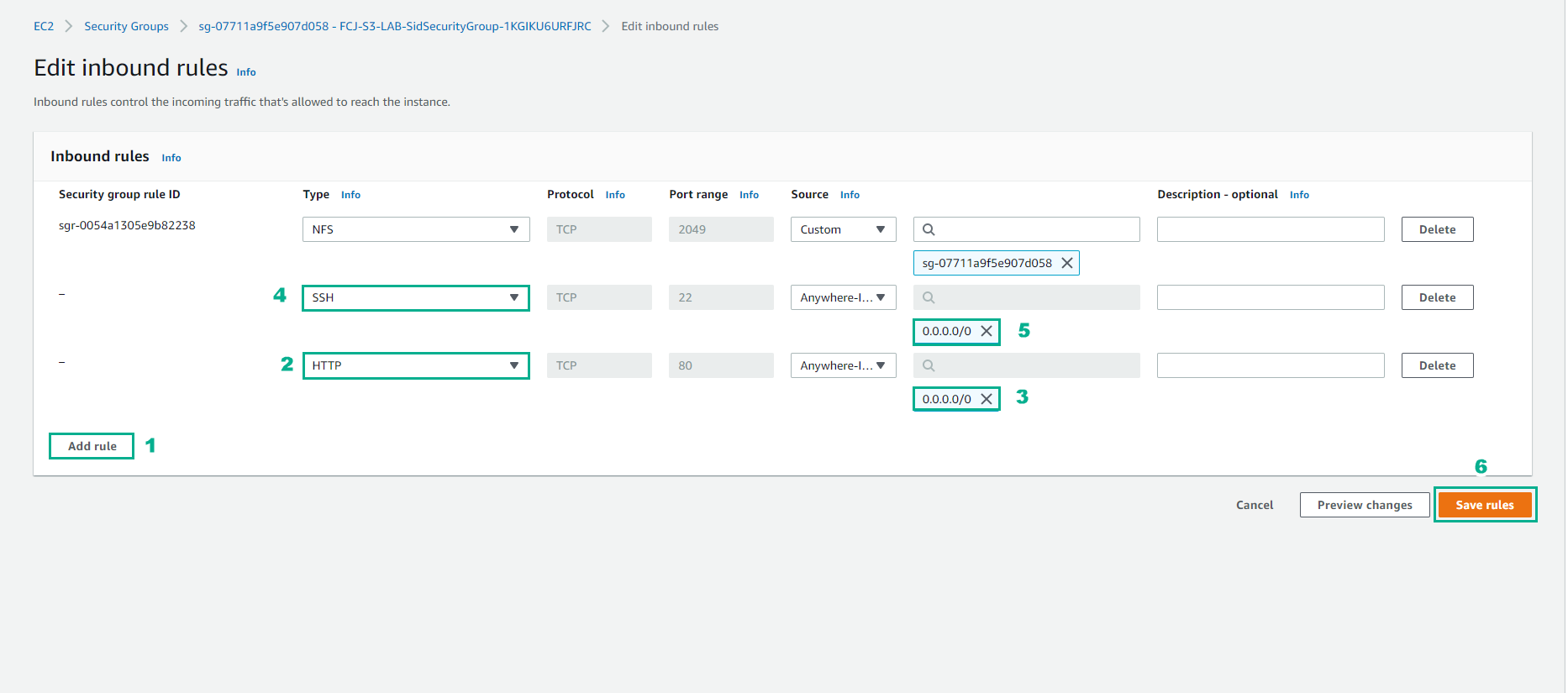
Configure Inbound rules
- Select Add rule
- Select SSH, Source Anywhere-IPv4
- Select HTTP, Source Anywhere-IPv4
- Select Save rules*
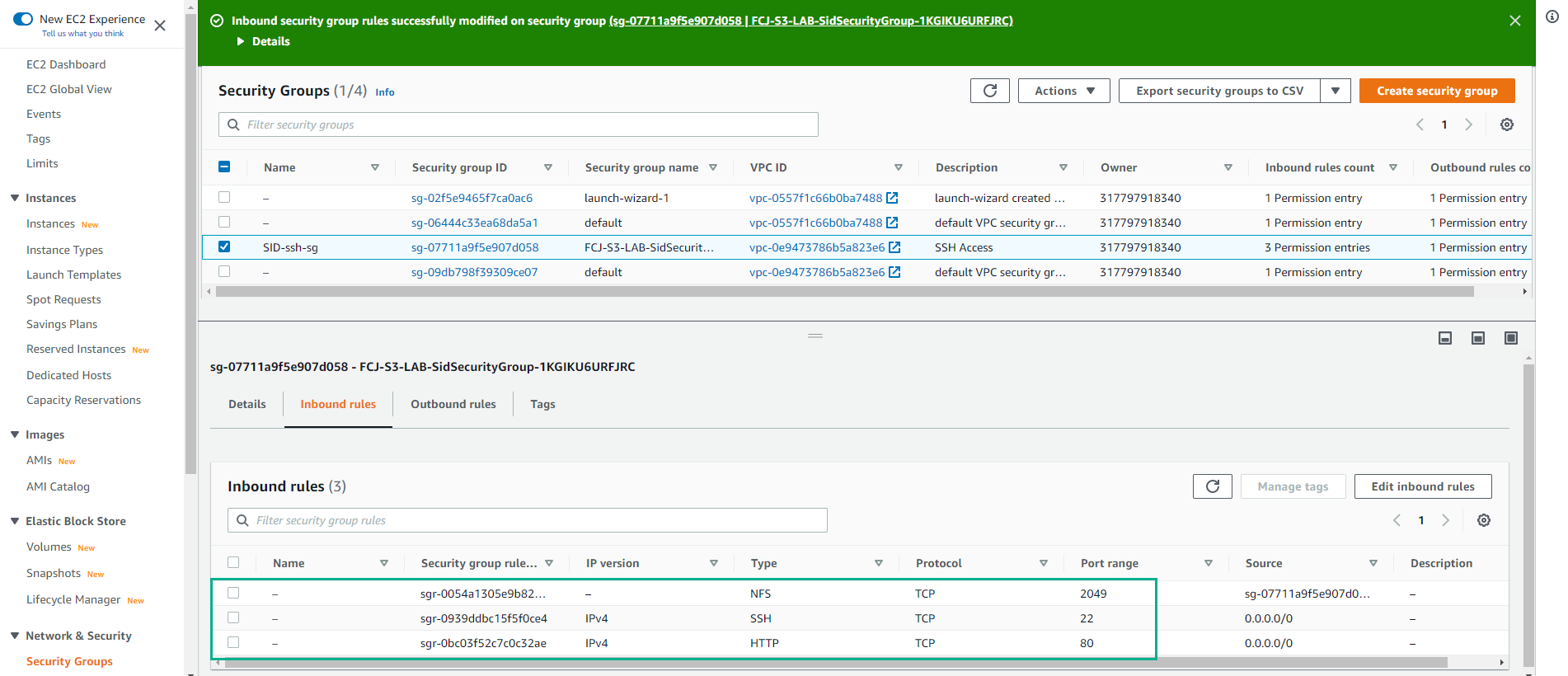
- Configure Inbound rules successfully.