Kết nổi EC2
Kết nối EC2
-
Sau khi tiến hành cấu hình Security Group. Chúng ta sẽ kết nối EC2.
- Trong giao diện EC2, chọn Instances
- Chọn SID-performance-instance
- Chọn Connect
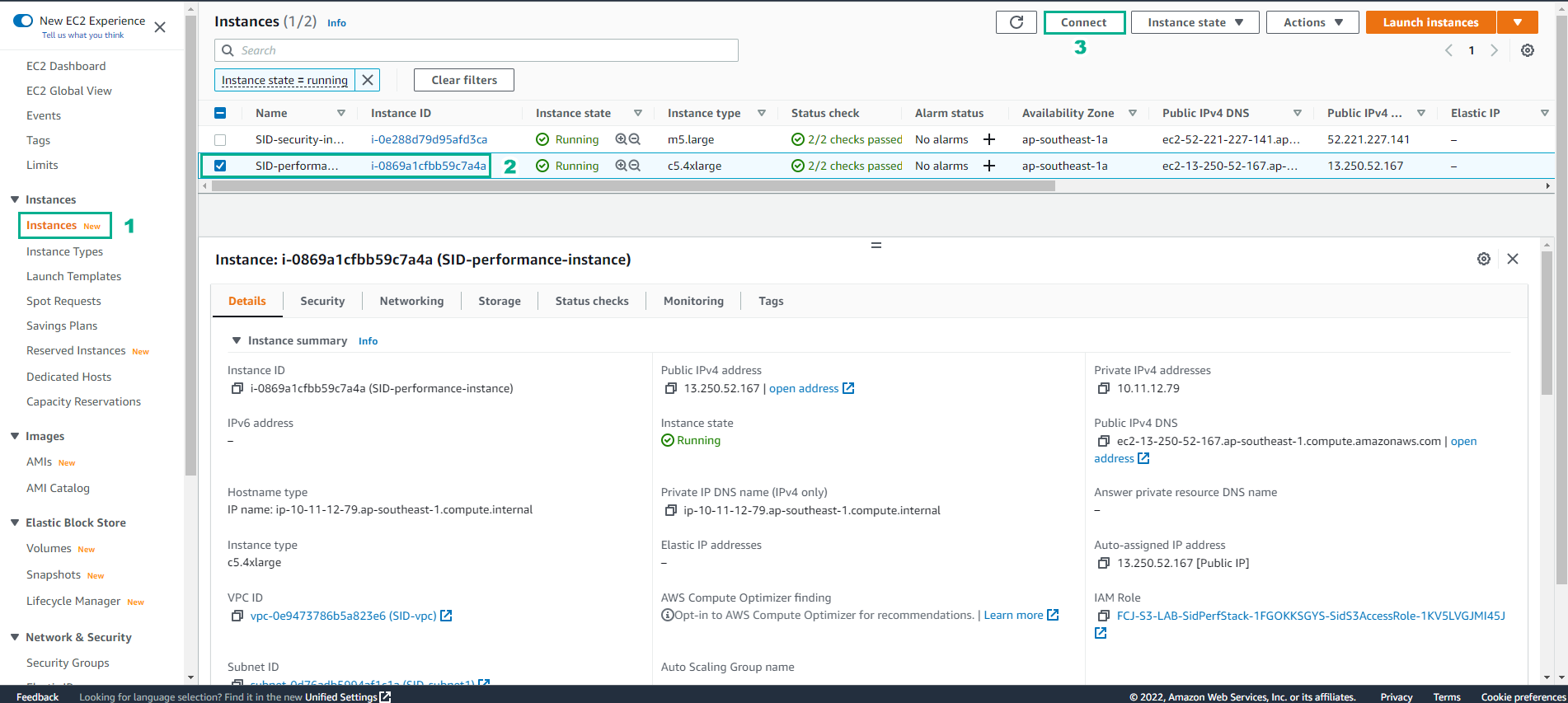
-
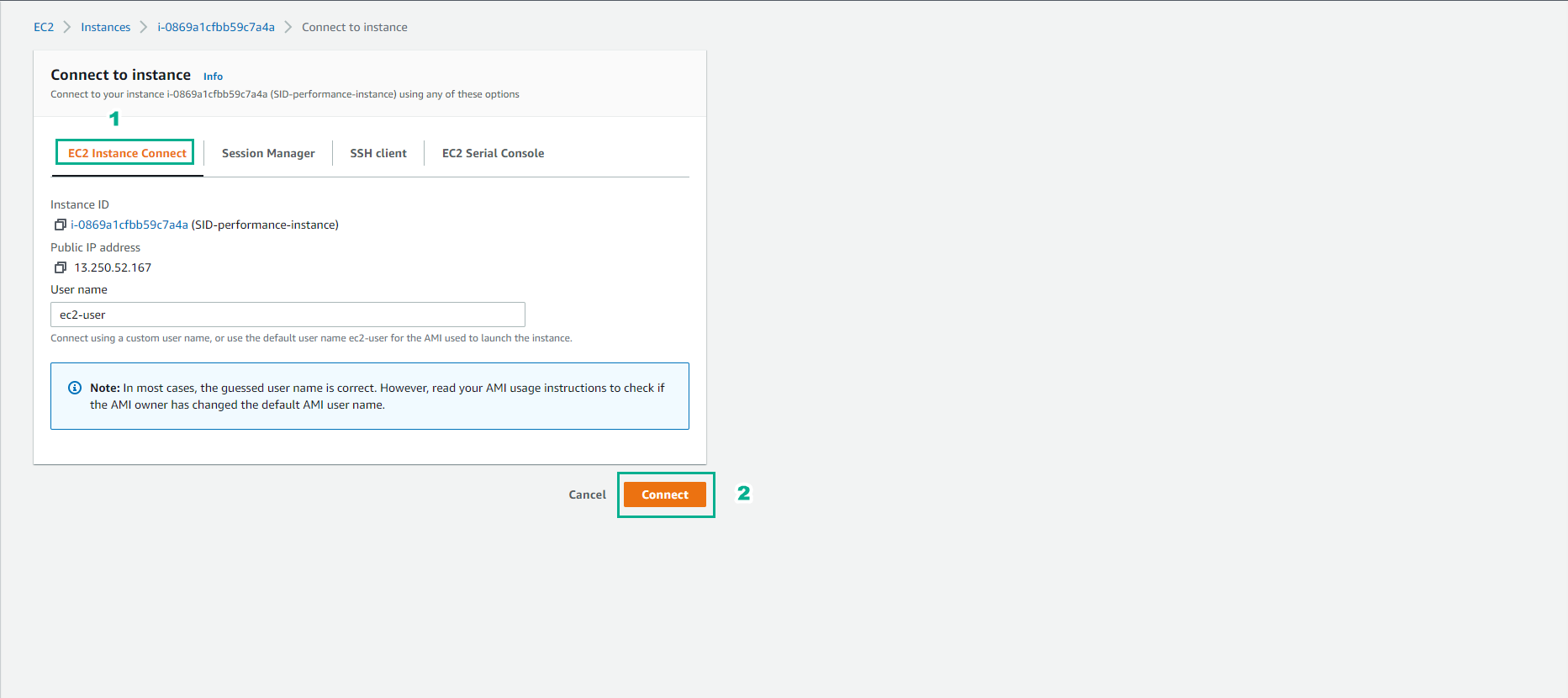
Trong giao diện Connect to instance
- Chọn EC2 instance Conect
- Chọn Connect
- Kết nối EC2 thành công.
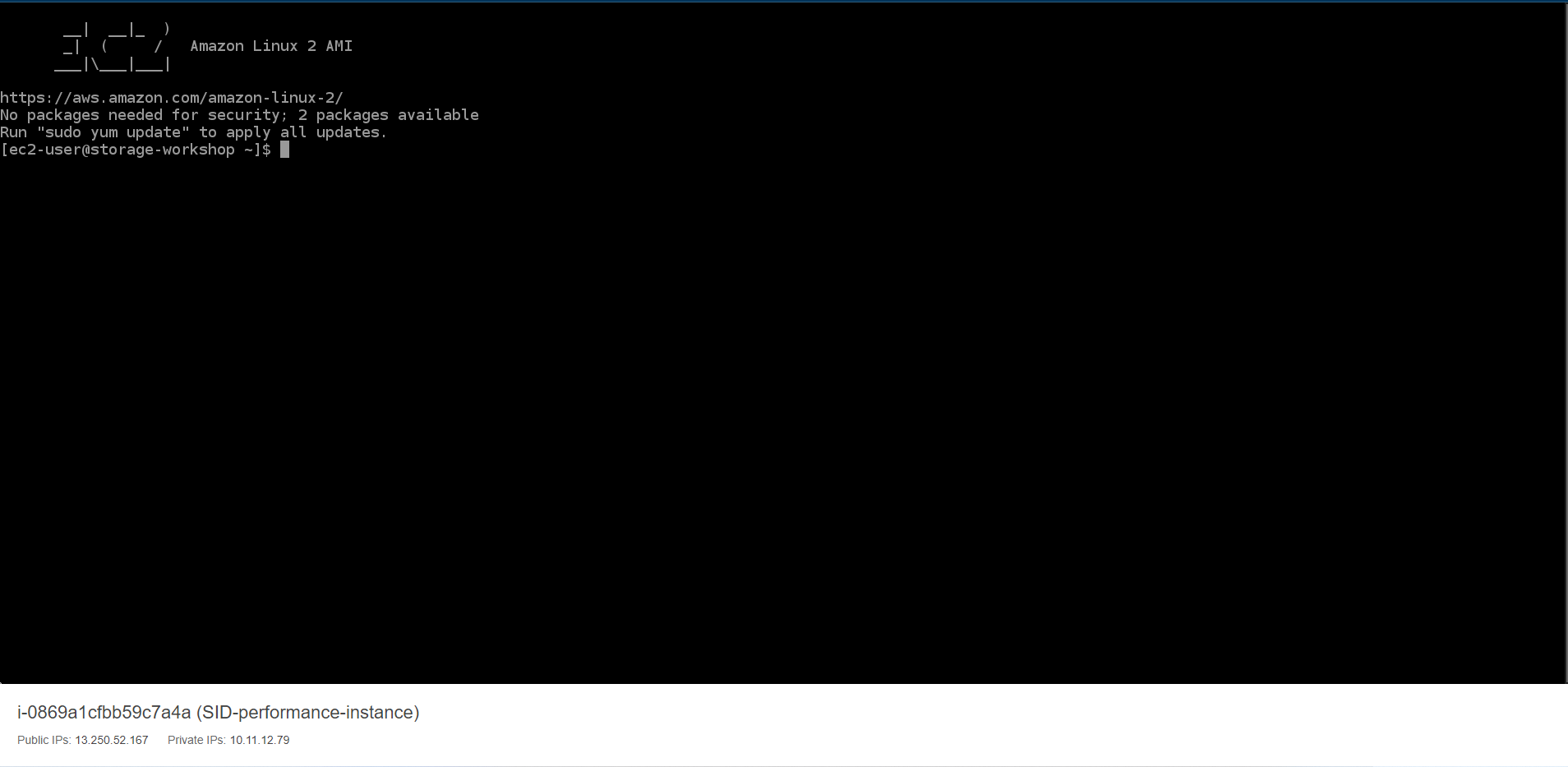
-
Sau khi kết nối EC2 thành công. Chúng ta sẽ tạo Access Key để cấu hình AWS CLI
- Truy cập vào IAM
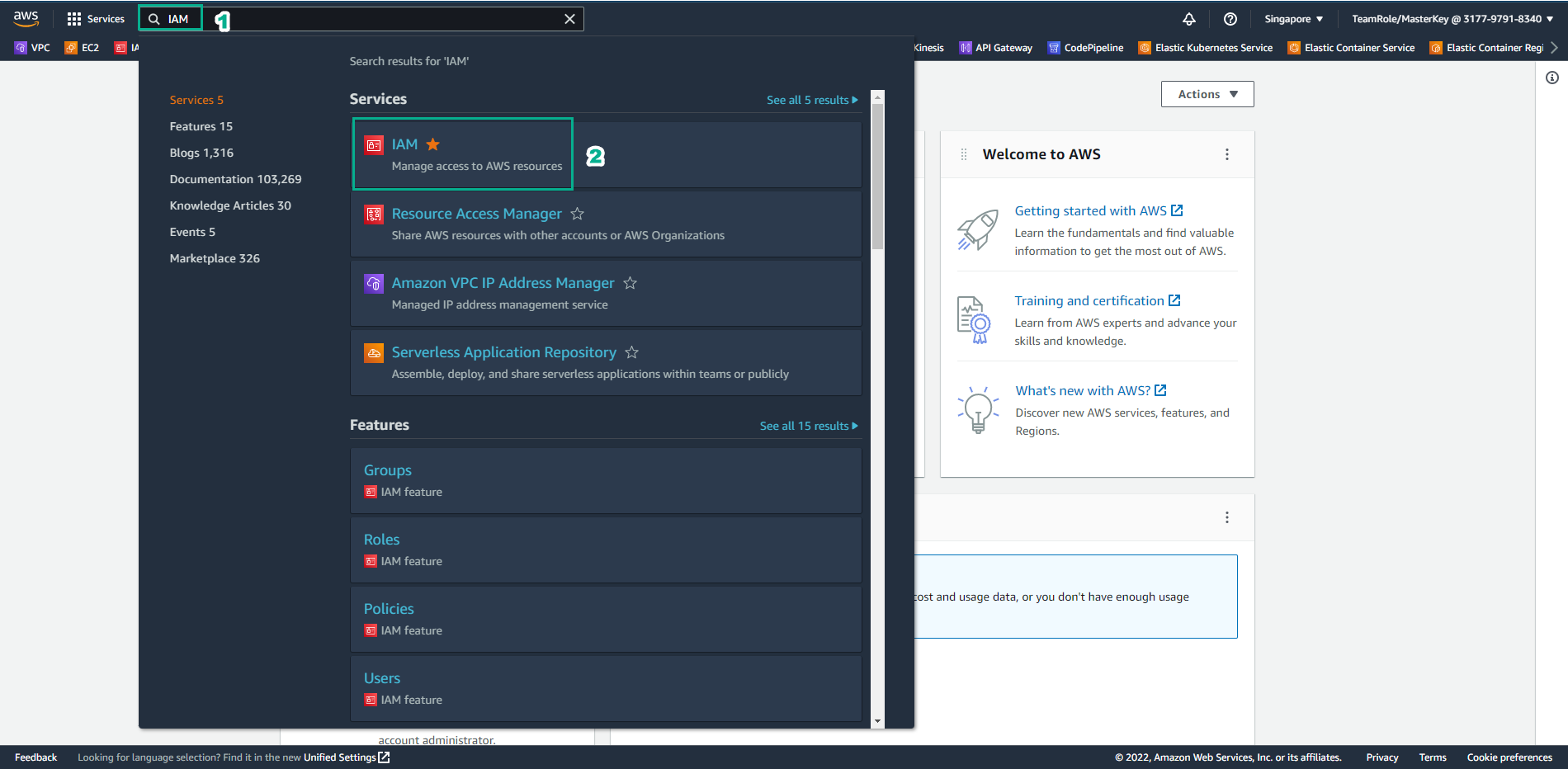
-
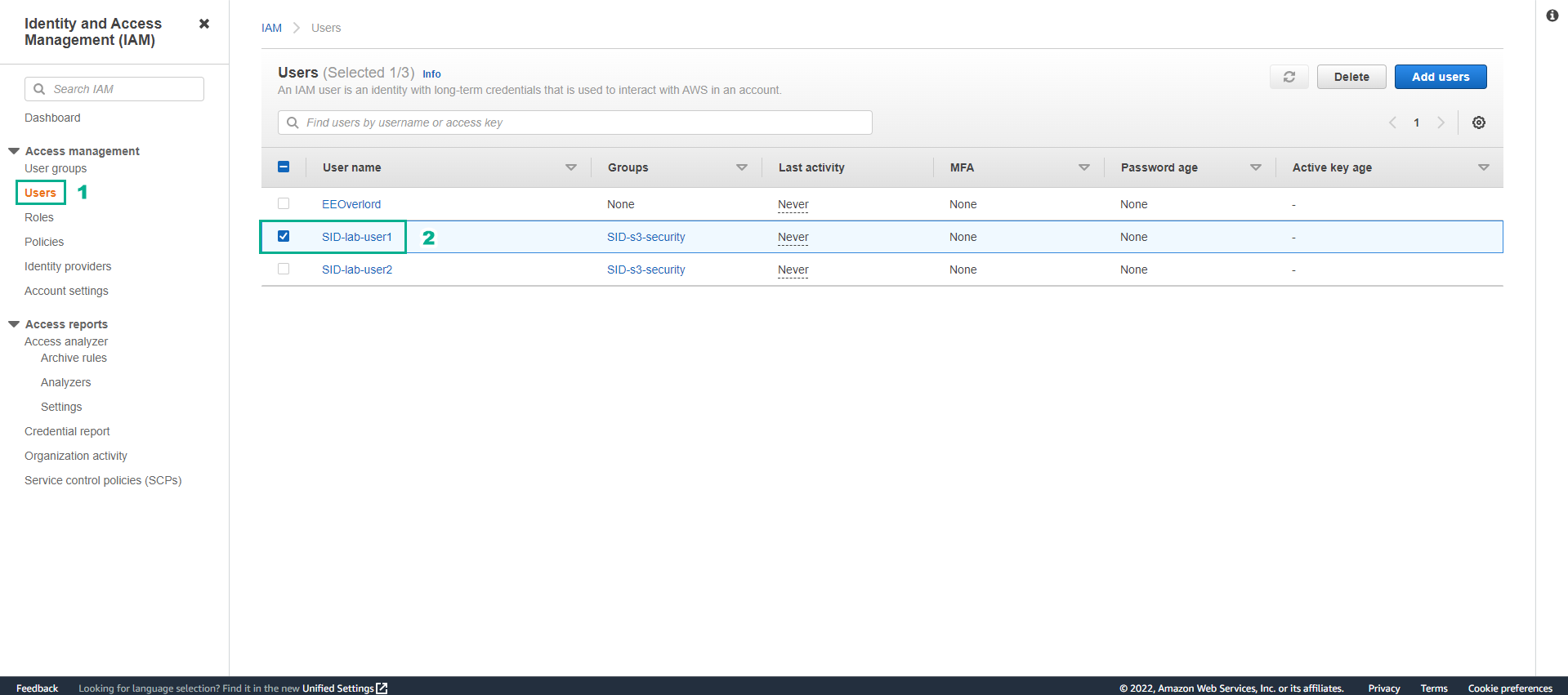
Trong giao diện IAM
- Chọn Users
- Chọn SID-lab-user1
-
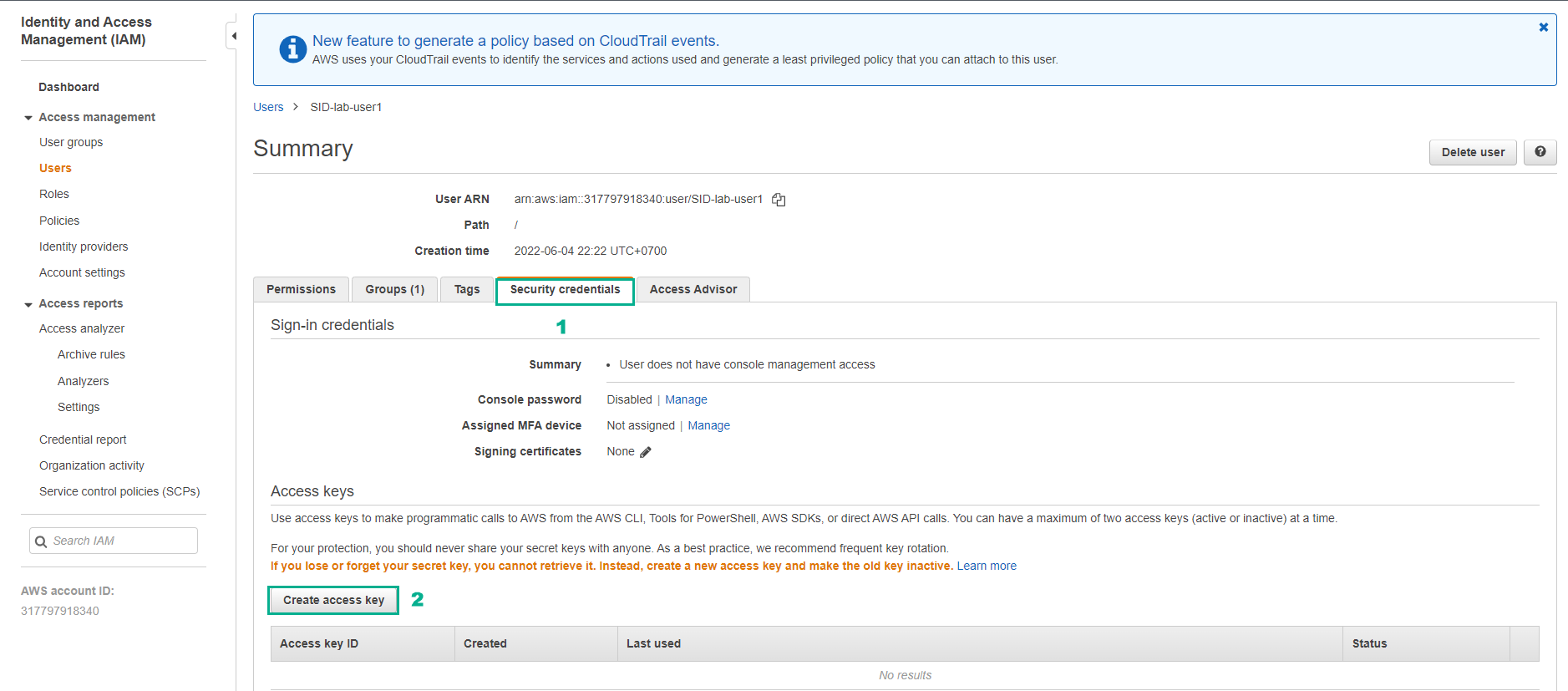
Trong giao diện user
- Chọn Security credentials
- Chọn Create access key
-
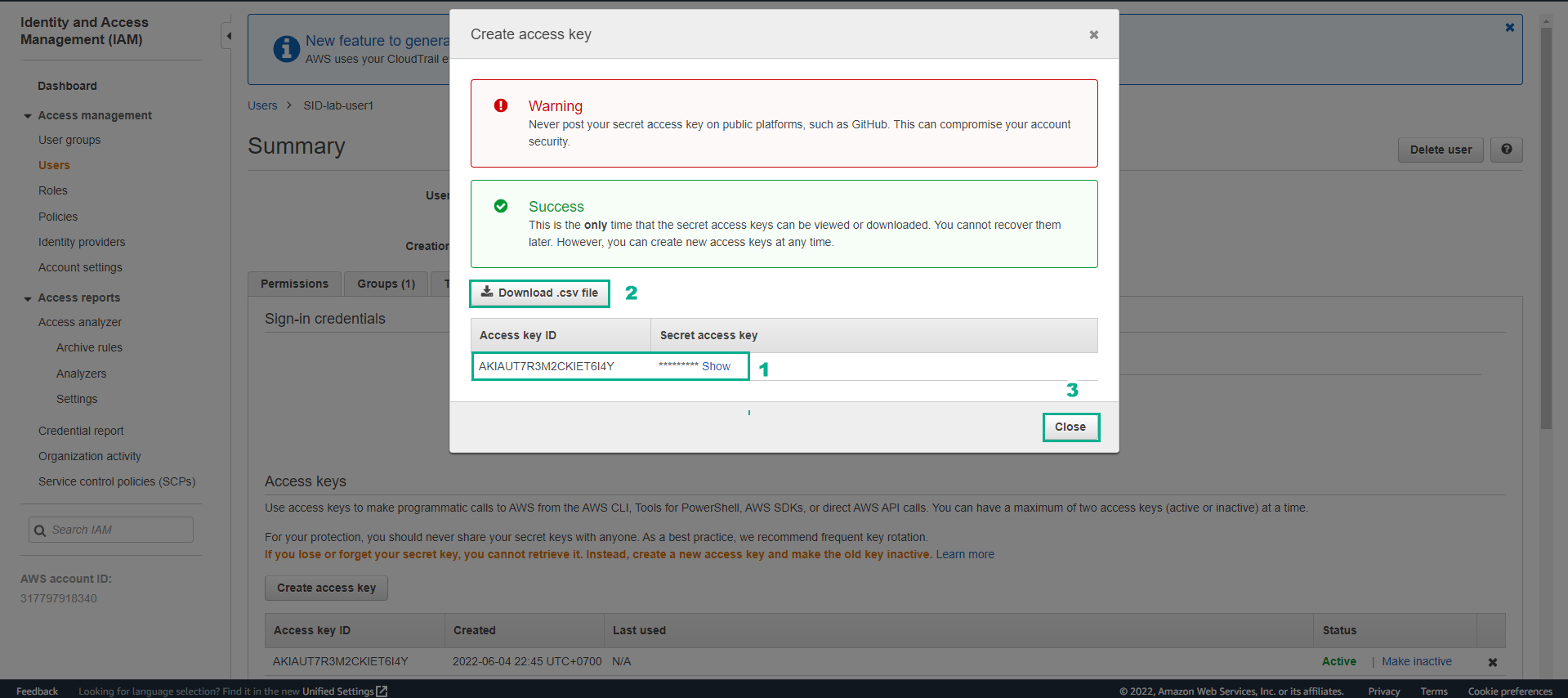
Khi tạo Access key thành công
- Chọn Download.csv file
- Chọn Close
- Nhập lệnh trên giao diện SSH
aws configure
- Tiến hành cấu hình từ thông tin của file csv tải về.
