Cấu hình security group
Cấu hình security group
Chúng ta thực hiện cấu hình security group để chuẩn bị cho bước tiếp theo kết nối EC2
-
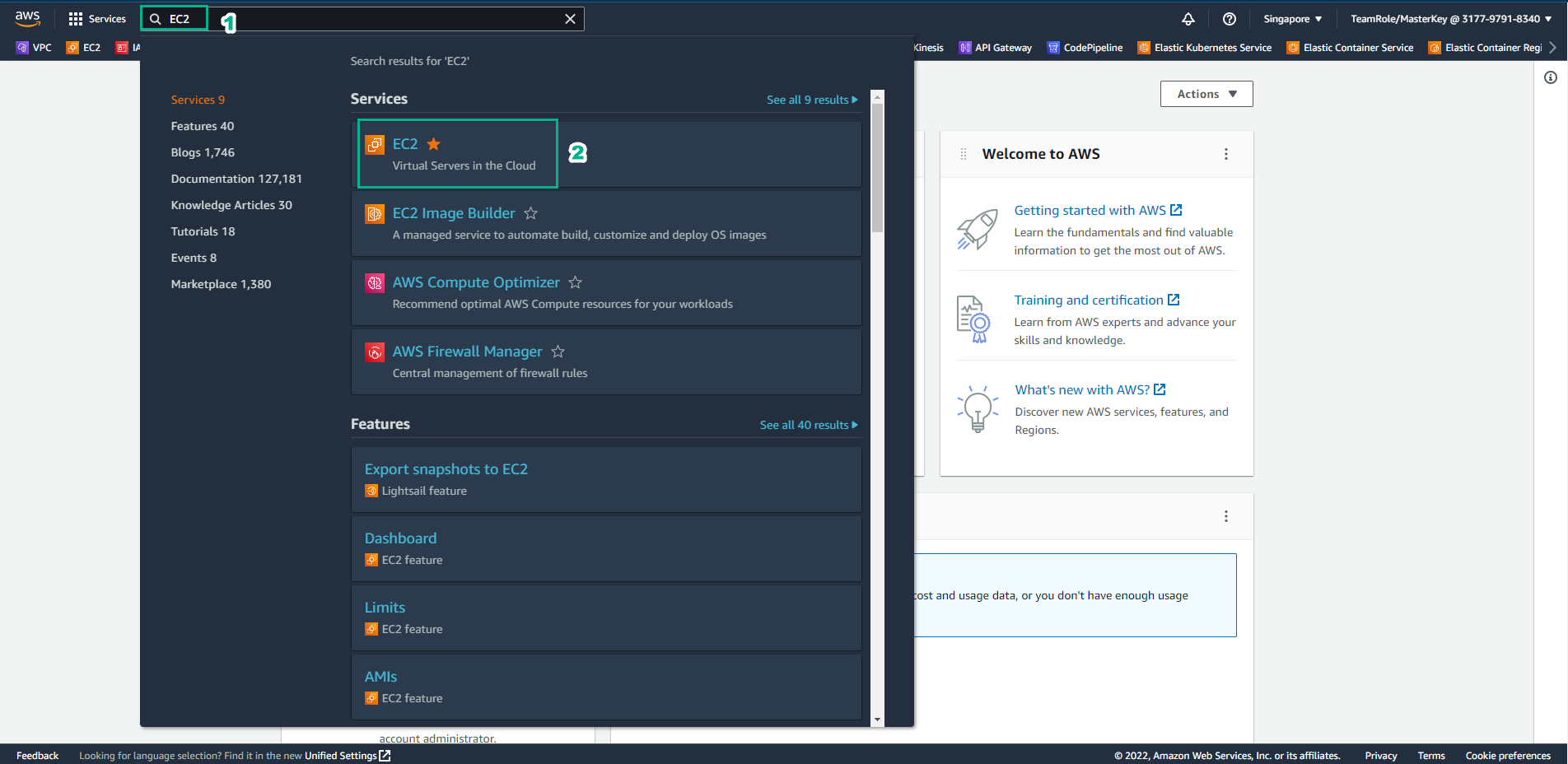
Truy cập AWS Management Console
- Tìm EC2
- Chọn EC2
-
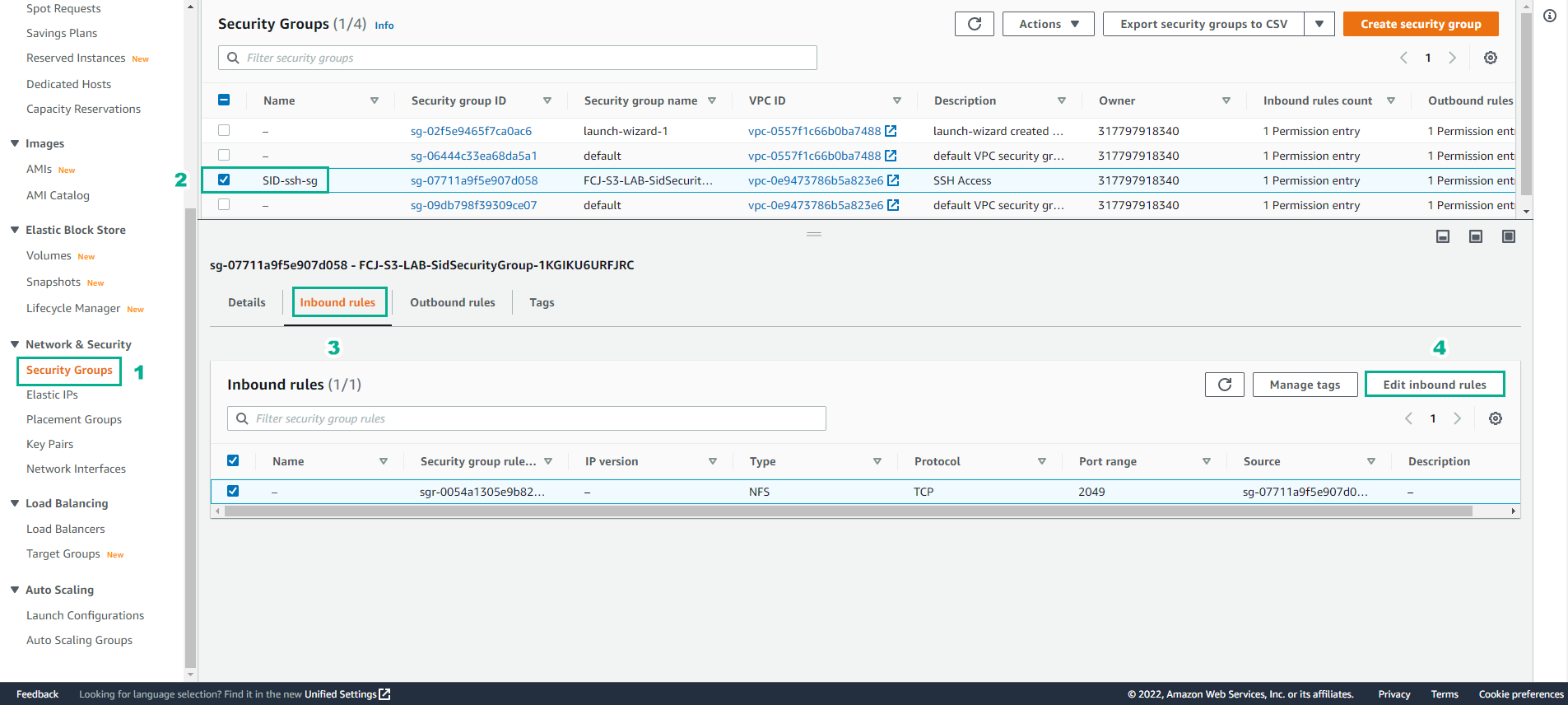
Trong giao diện EC2
- Chọn Security Group
- Chọn SID-ssh-sg
- Chọn Inbound rules
- Chọn Edit indound rules
-
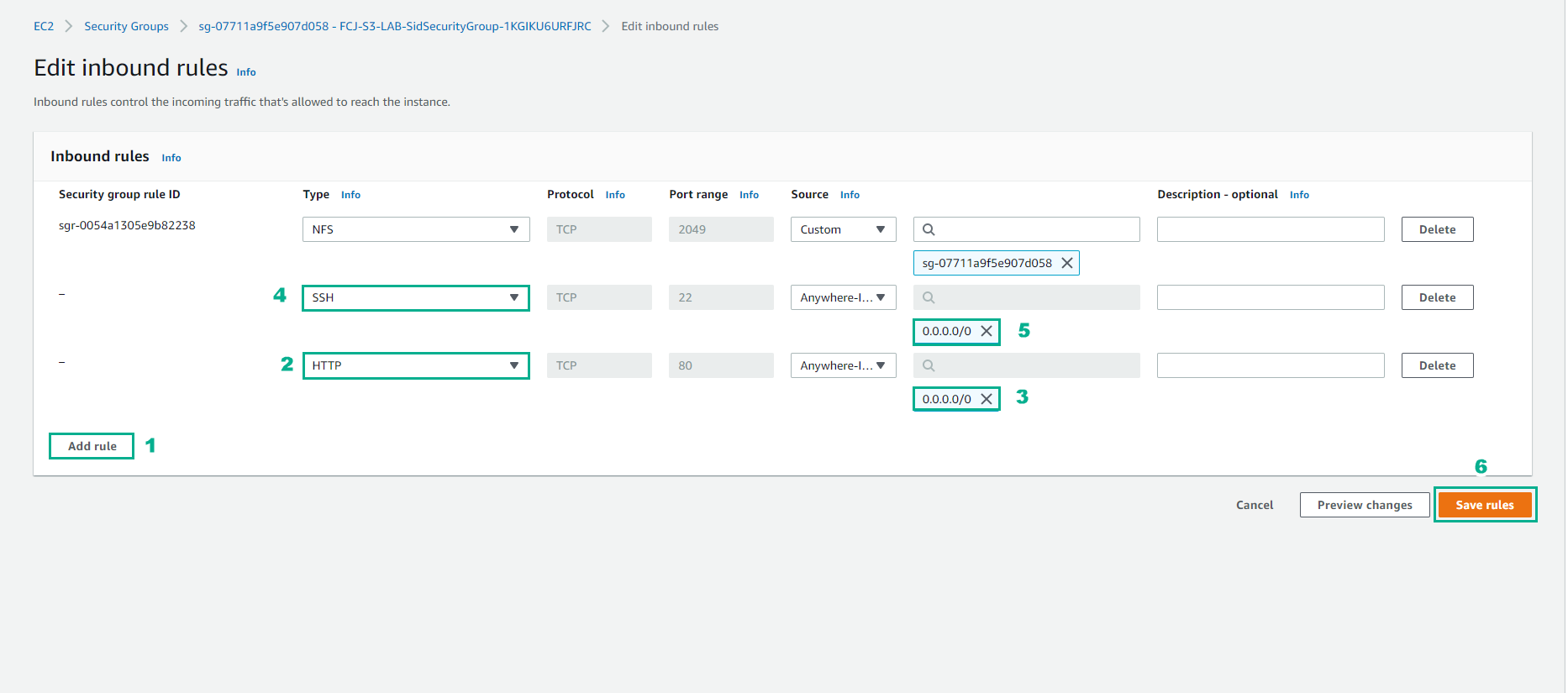
Thực hiện cấu hình Inbound rules
- Chọn Add rule
- Chọn SSH, Source Anywhere-IPv4
- Chọn HTTP, Source Anywhere-IPv4
- Chọn Save rules*
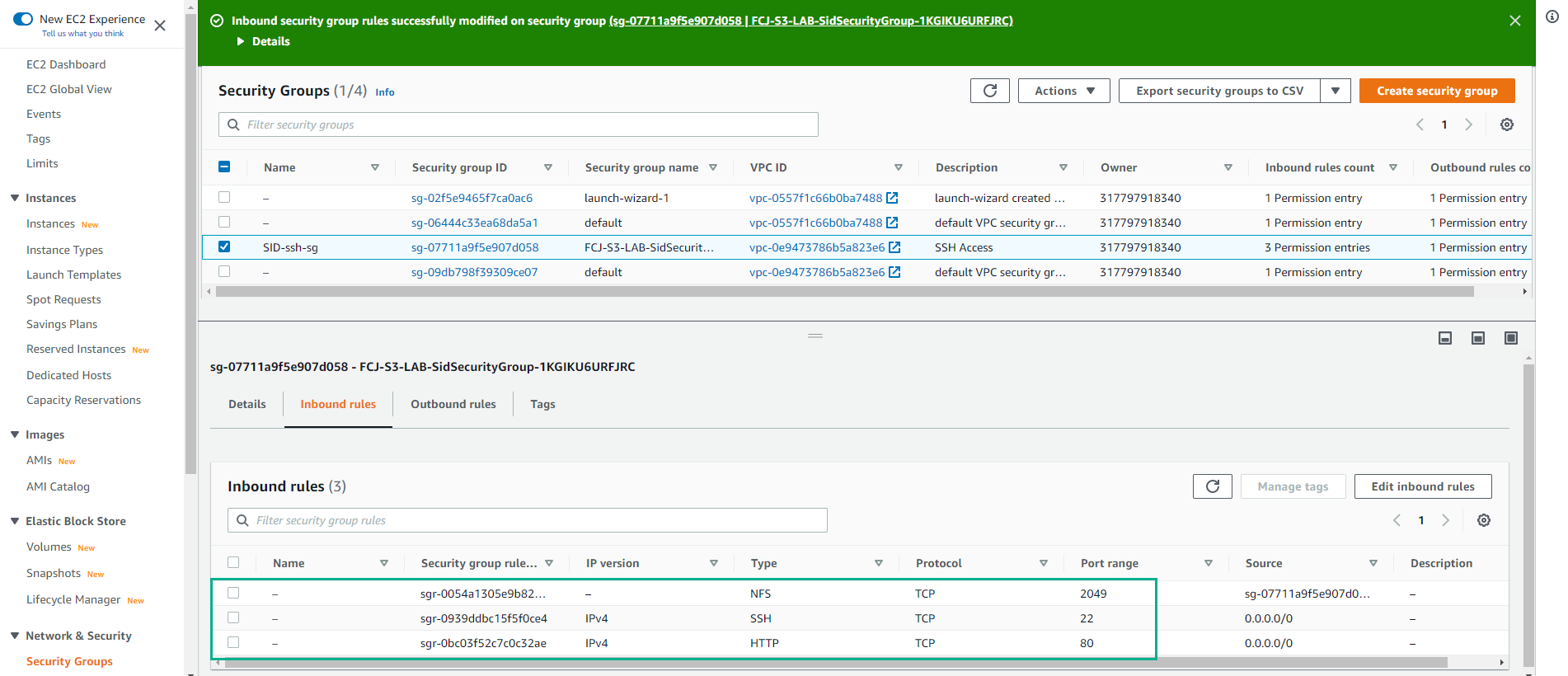
- Cấu hình Inbound rules thành công.